
Record what comes in
Scan the barcode or search by name. Ordivy finds the product and you only confirm the quantity.
YOUR PERSONAL INVENTORY
Ordivy brings order to your belongings so you can find everything, restock on time, and stop buying what you already have.
Designed so control starts on your device.
ONE PRODUCT. THREE DECISIONS.
Add a product once. From then on, Ordivy remembers where it is, how many units remain, and when you need to restock it.
Scan the barcode or search by name. Ordivy finds the product and you only confirm the quantity.
Each product belongs to one inventory and one location inside it. For example: cables in a drawer, clothes in a wardrobe or tools in a storage room.
Choose how many units you always want available. Drop below that number and the item appears on your shopping list.
SEARCH IN ORDIVY
A SEARCH THAT ANSWERS
Type “drill” and you do not get a generic list: you see the item you own, its exact location, and the quantity available.
THE REAL STRUCTURE OF YOUR HOME
Clothes, tools, office supplies or collections. Explore these examples and see how to organise your things in Ordivy.
Choose an inventory to see what is inside.
3 products · Saved by location
Size M · Winter
Clothes railSize M · Blue
Top drawerSize L · Mid-season
Middle shelfFind your clothes by size, season and location.
THE COMPLETE LOOP, IN THE APP
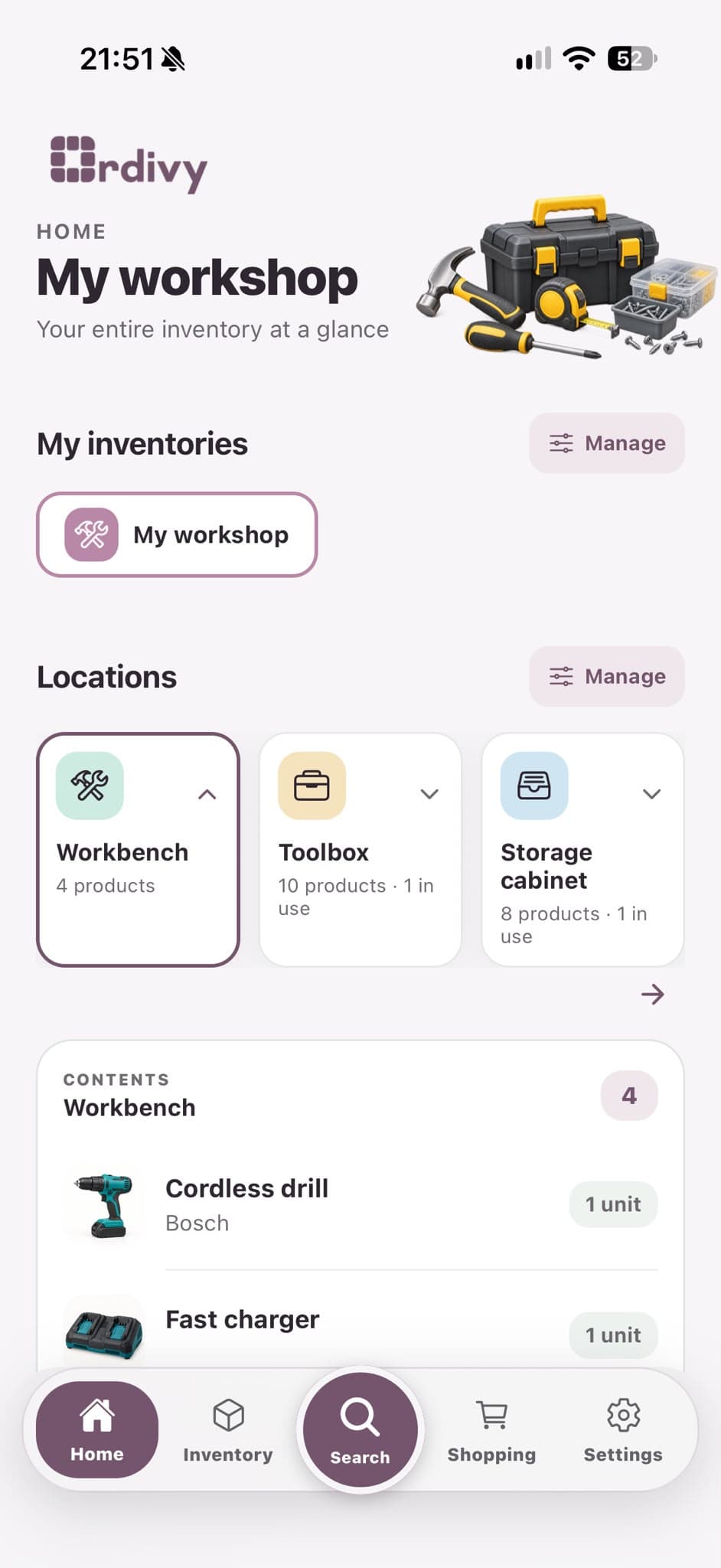
Home summarizes your spaces; Inventory lets you act; Shopping collects what is missing; Settings connects your account, plan, and family.
See your inventories, locations, and products in use at a glance.
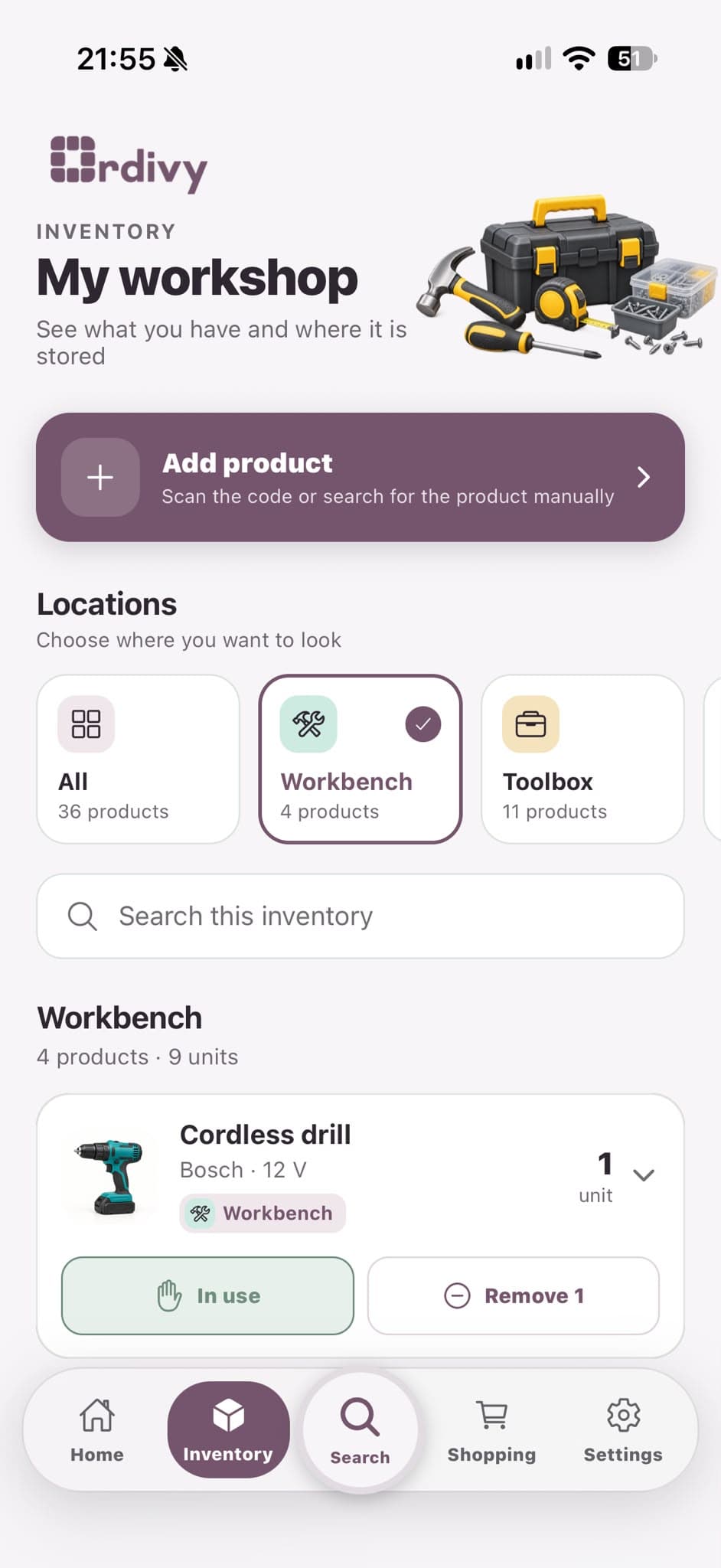
Explore locations, search for products, and check available quantities.
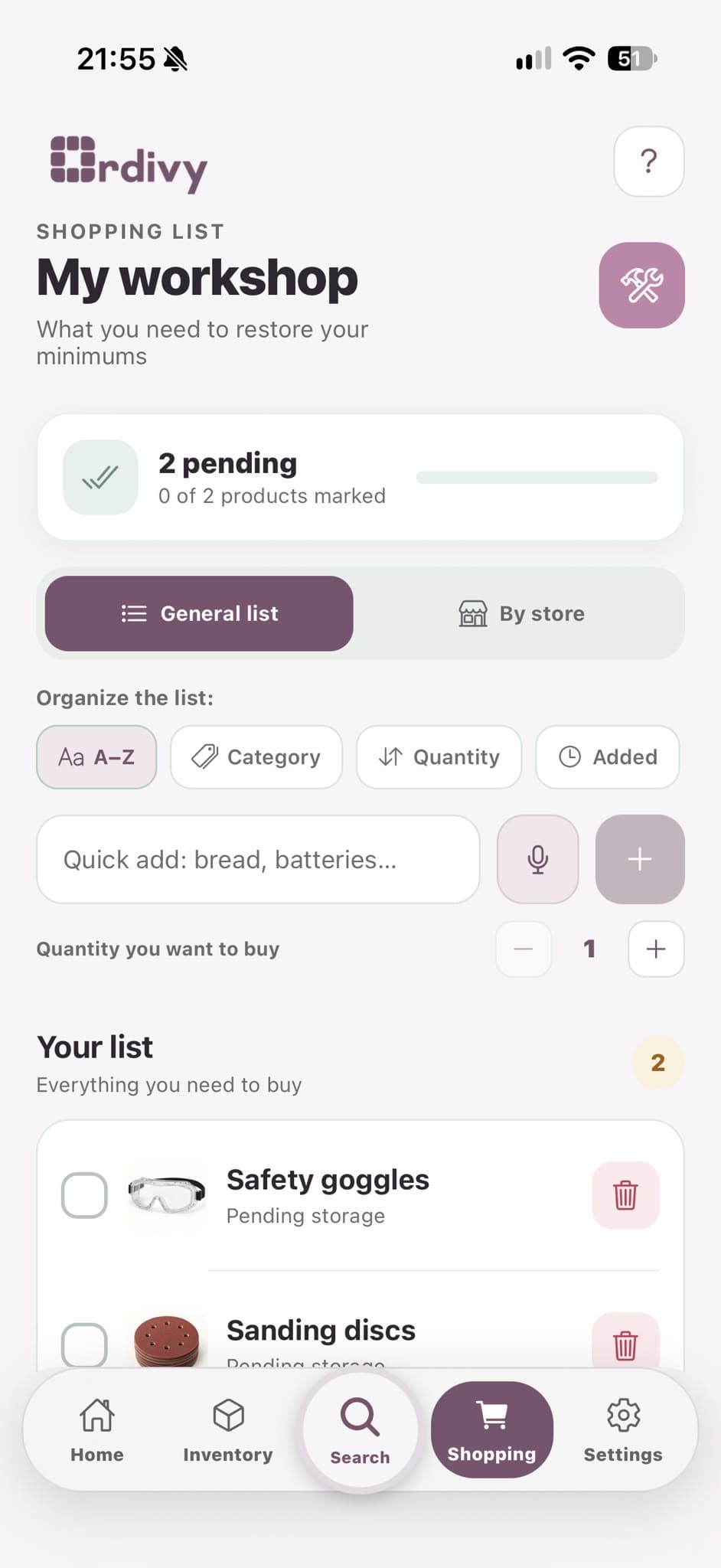
Collect what is missing, organize your list, and tick items off as you shop.
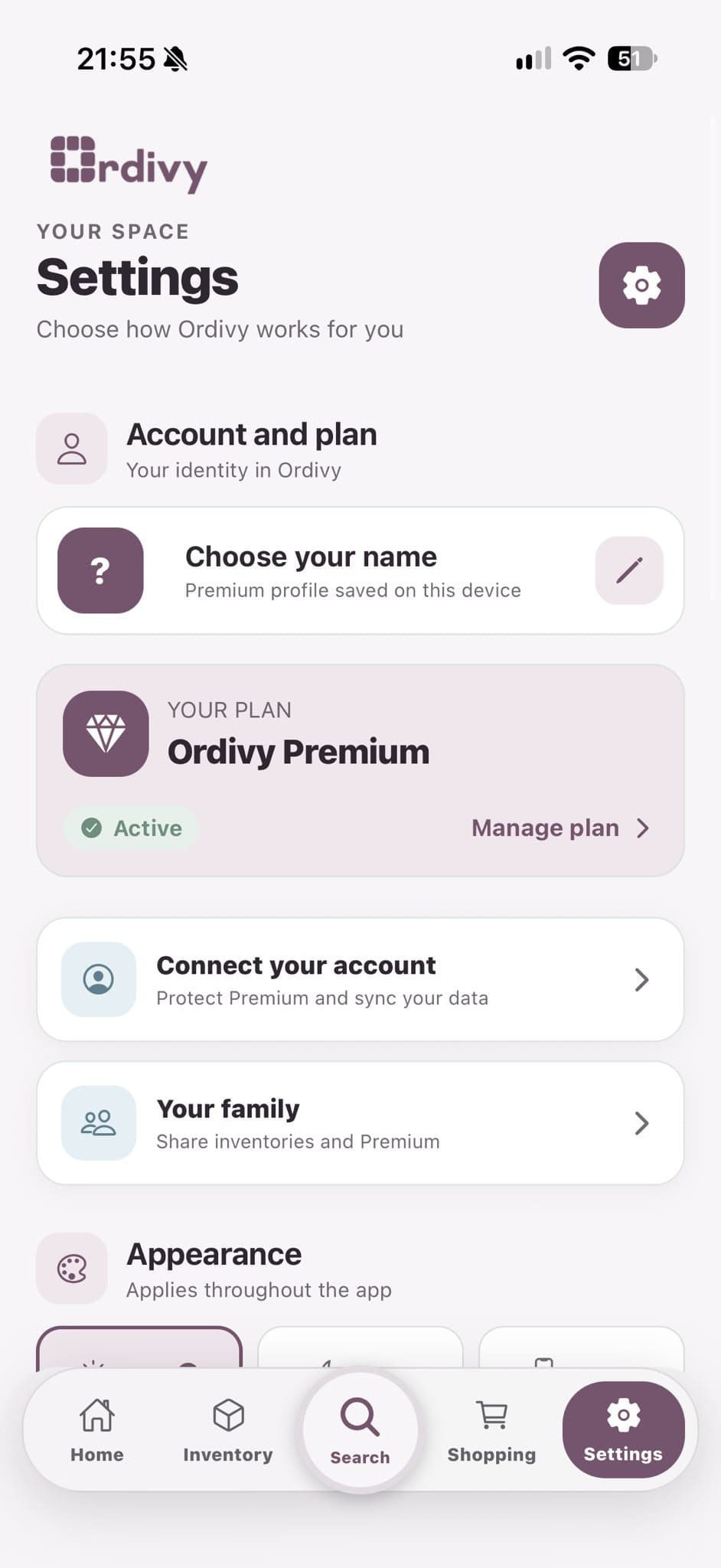
Manage your plan, connect your account to sync data, and share with your family.
WHAT IS STORED, AND WHERE
FREQUENTLY ASKED QUESTIONS
The essentials about Ordivy, explained clearly.
Almost anything: food, clothes, tools, household products, office supplies, or collections.
No. Start with one small space and add products as you use or buy them. Ordivy adapts to your pace.
Yes. You can separate your home, office, storage room, or any other space and organize each one with its own locations.
Your inventories are stored on your device. Connect your account in Settings to sync your data; Your family lets you share inventories and Premium.
Ordivy is now available on the App Store. The Android version is coming soon to Google Play.
On iOS, you can subscribe to Premium in the app with a verified Ordivy account. View and manage your plan in Settings, restore purchases from Premium, and manage or cancel your subscription through your Apple account.
Your home, inventory, and shopping list in one place.
Available on the App Store